Case study 07 · Design Systems · Design Operations · AI Workflows · Engineering Collaboration
Scaling Design Delivery Across an Agency
Building adaptable design systems, shared standards and AI-assisted workflows for faster, more consistent product delivery.
- Industry
- Agency
- Platform
- Web, Mobile
- Expertise
- Design Systems · Design Operations · AI Workflows · Engineering Collaboration
- Role
- Lead UX/UI Designer, Appello
- Involvement
- About 5 years, ongoing
01Overview
In an agency, several designers work across products with different industries, requirements and visual directions. Rebuilding common patterns from scratch each time slows delivery and makes consistency harder.
I created and kept evolving shared mobile and web UI kits that give the team a reusable foundation. Over about five years those kits grew into documentation, icon libraries, a way of working with developers, and guidance for how we use AI.
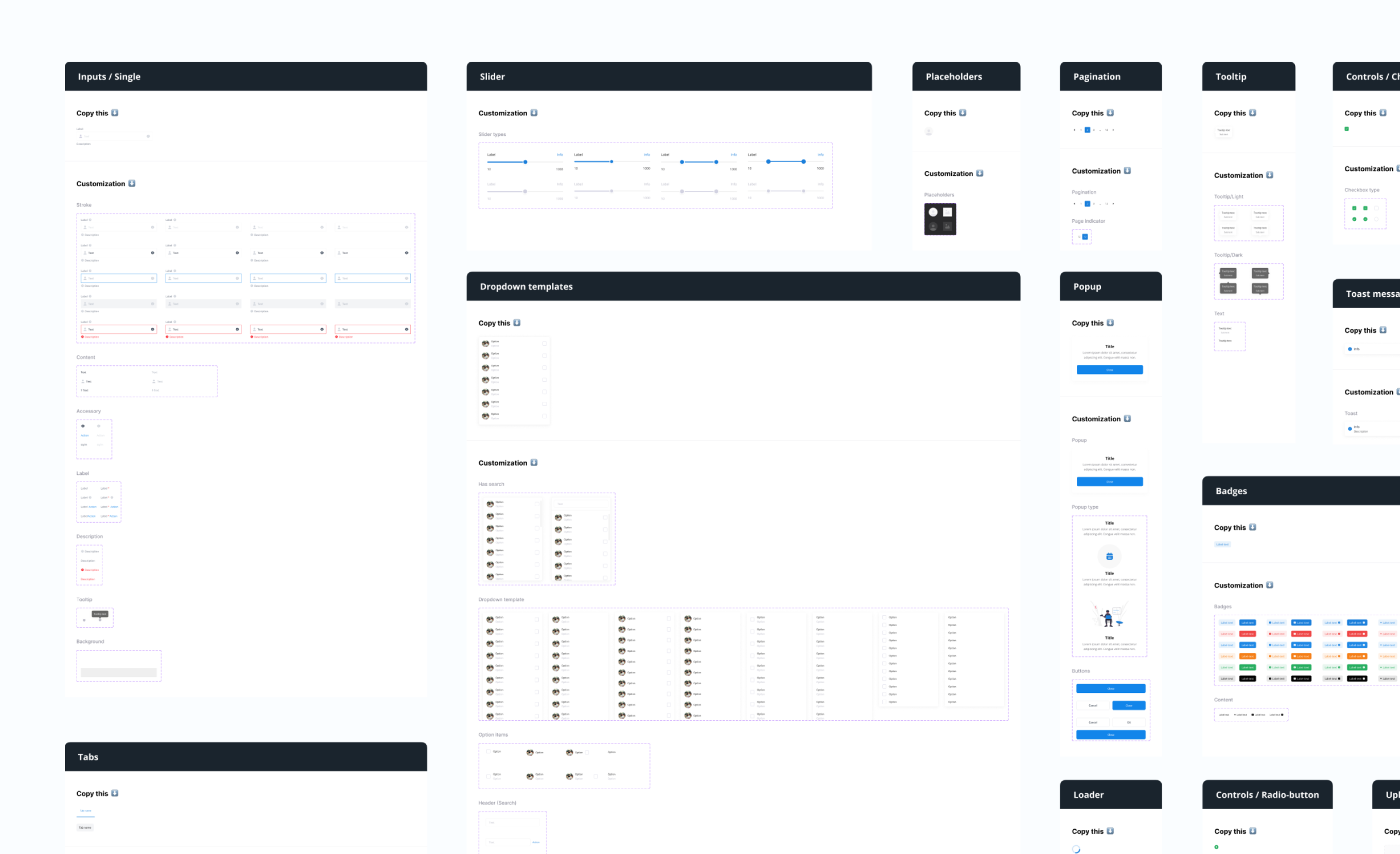
Scope
- Shared web and mobile UI kits, evolved across real client projects
- Component states, nested instances and documented customization rules
- Default, Sharp and Playful modes for spacing, density and corner radius
- Alignment with developers and Tailwind-based variables
- Filled, outline and stroke-adjustable icon libraries
- Design-department documentation and an AI-usage guide
- Reviews and comments that keep other designers on the shared standards
- Team
- Built with the Appello design team and developers. The kits are a shared resource, not a substitute for designing each product.
02Challenge
Different products, one foundation
Some projects need a dense operational interface. Others need something softer or more expressive. Designers still have to adapt the UI to the product in front of them.
The job was a foundation that keeps common patterns consistent, and still lets a project change character, without a new kit for every client.
03Components
A shared component foundation
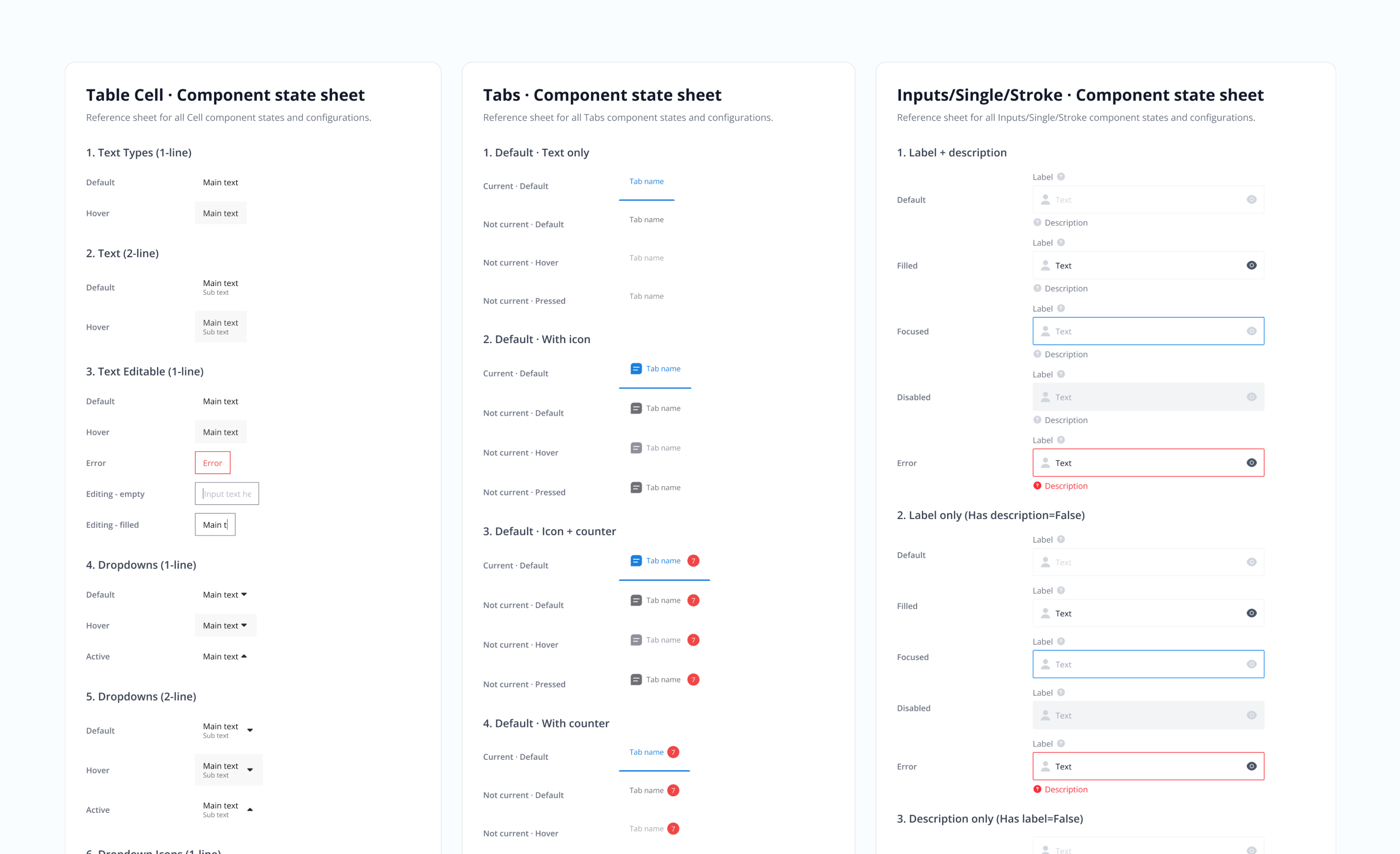
I built and maintained the web and mobile kits used on real client projects. They are made of reusable components, nested instances and state logic, so a pattern can be placed and configured instead of redrawn.
Fig. 02 is how that is written down for the rest of the team: state sheets for cells, tabs and inputs, including hover, error and disabled, plus the customization rules for what can change.
04Modes
One system, three visual modes
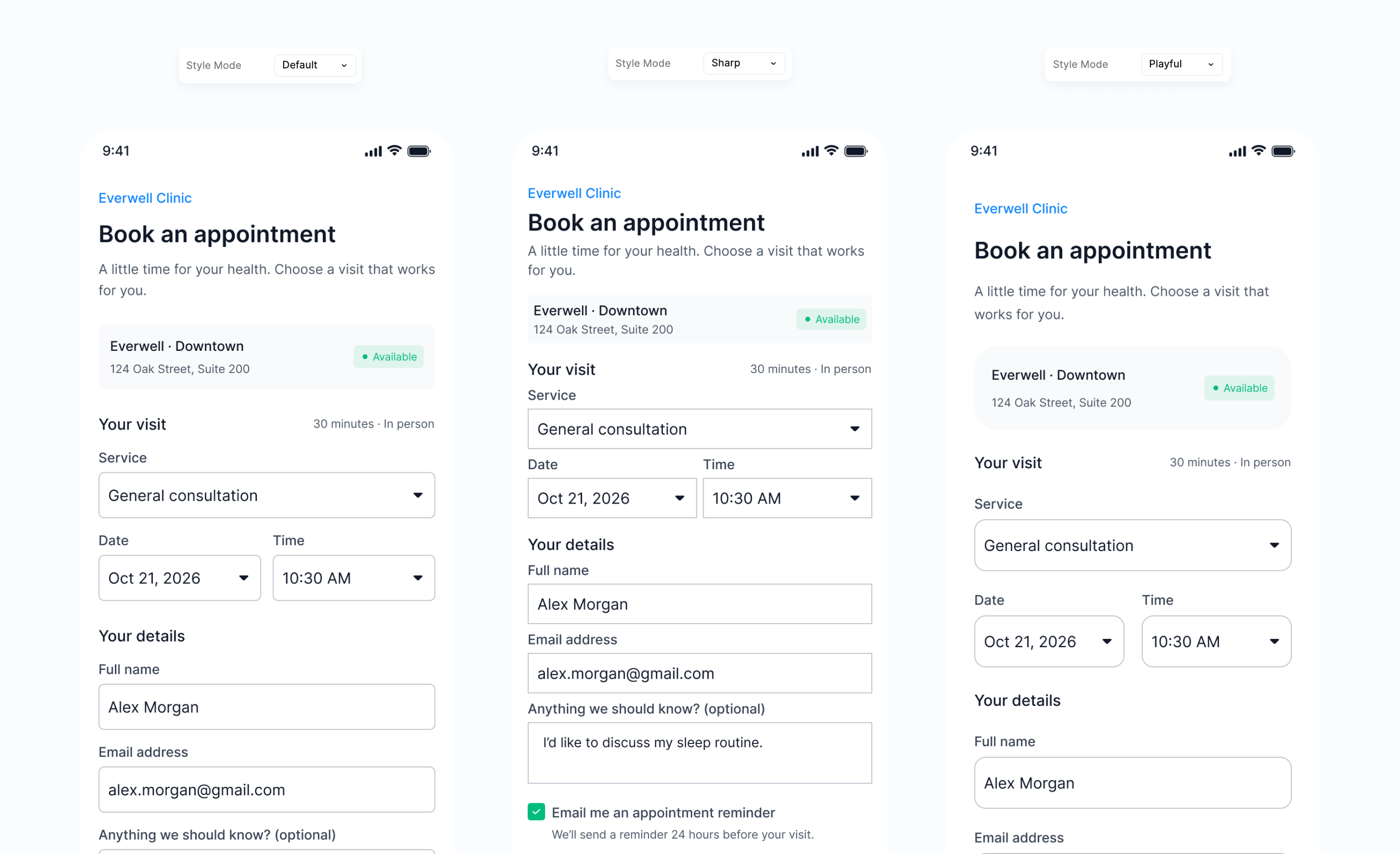
The same components can shift character through variables. I introduced three modes, Default, Sharp and Playful, which change spacing, density, corner radius and the overall feel.
Fig. 03 is one booking screen in all three. A serious operational product and a softer consumer screen can start from the same kit. The modes are implemented in development as well as in Figma.
05Development
Bridging design and development
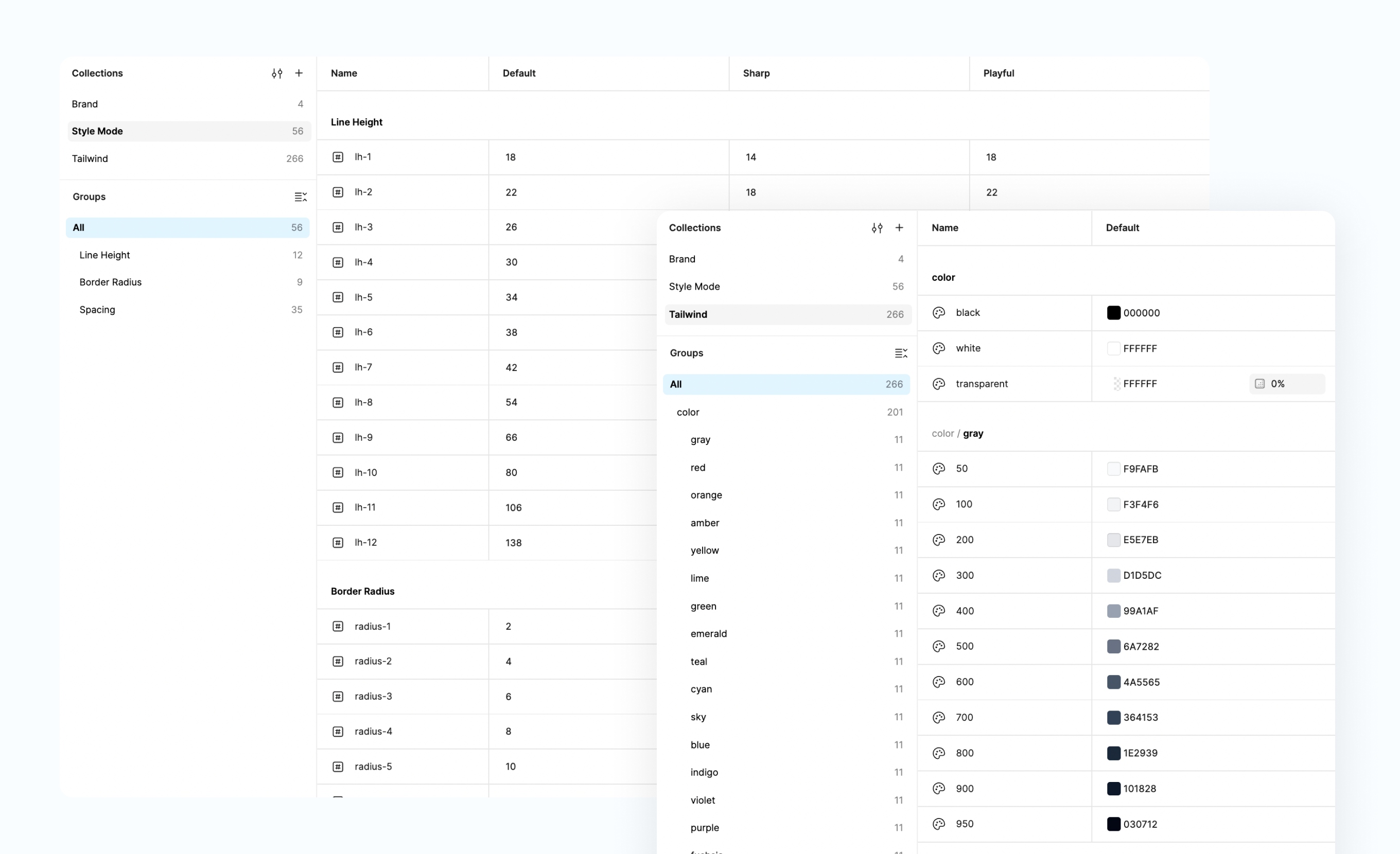
I worked with developers to line the kits up with Tailwind-based variables: type scale, radius, spacing and colour. Fig. 04 is that table, with Default, Sharp and Playful as columns.
A lot of the work was explaining the system and mapping a design decision to the value the code already uses, so the file and the implementation do not drift.
06Standards
Standards, guidance and AI workflows
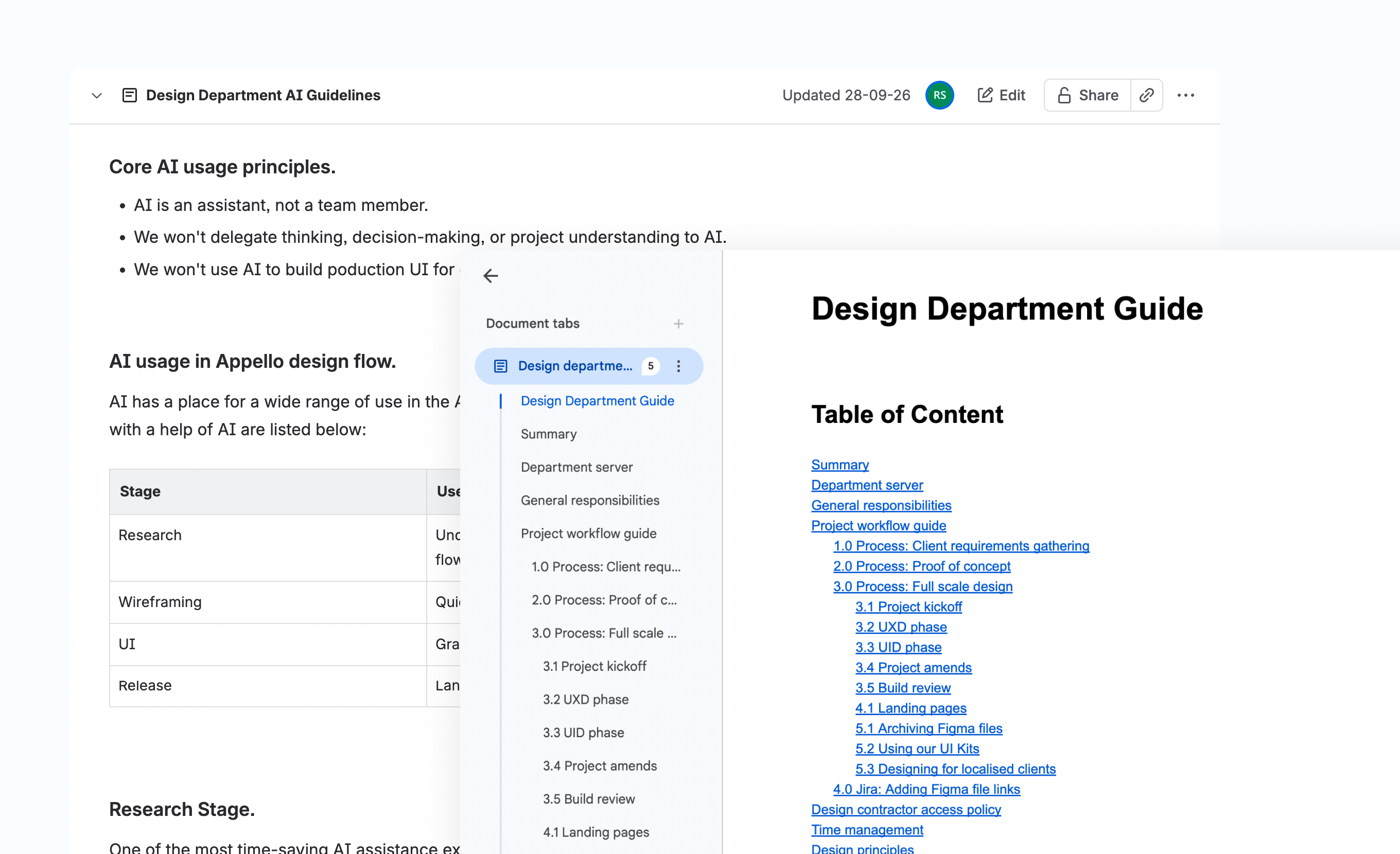
The kits sit inside written guidance for the department: how a project moves from the brief through design and into build, and how we use the UI kit on a client.
The AI guide covers research, wireframing, UI support and release tasks. AI assists that work. Product understanding and the design decisions stay with the designer. I also review other designers' files against these standards.
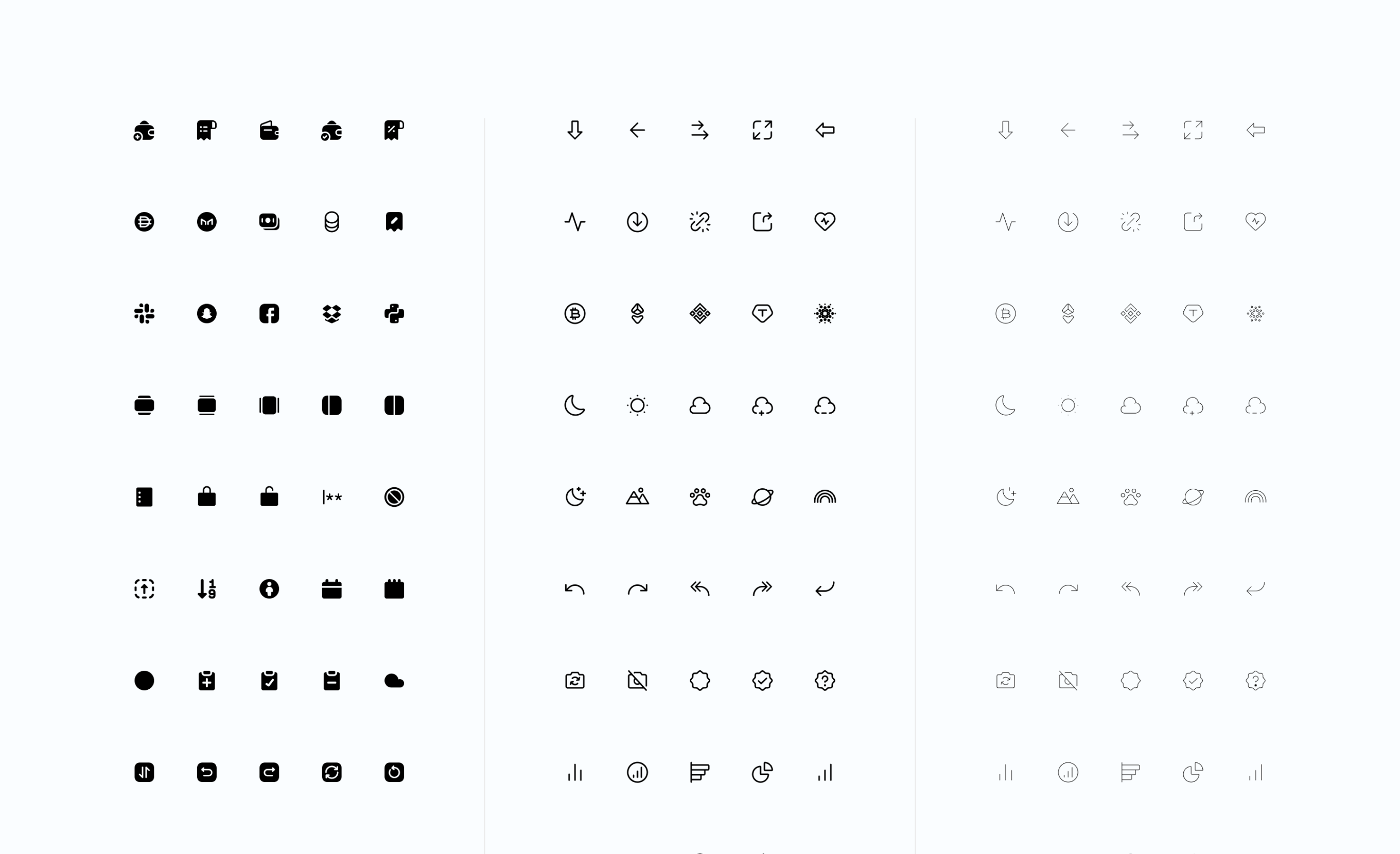
Fig. 05 is the icon libraries that sit beside the kits. Fig. 06 is the department guide and the AI guide.
07Reflection
This is the other side of the practice: not only designing a product, but building the system the team uses to design many of them.
Adaptable components, modes that development can implement, and written rules for both the kit and AI, so delivery stays consistent without making every product look the same.
Contact
Open to Senior Product Designer roles.
If you are hiring a senior product designer for complex B2B, SaaS or AI-powered client work, I would like to hear from you.
- linkedin.com/in/rrrshimin
- Location
- Montenegro (Remote)
- Availability
- Open to Senior Product Designer roles at international digital product agencies.