Enterprise SaaS platform · Ongoing
A platform for mapping, governing and running organisational processes
Turning a broad, ambiguous transformation vision into one coherent, structured product.
- Role
- Senior UX/UI Designer
- Team
- Worked directly with product, technical and client stakeholders throughout, translating workshop discussions and existing process-modelling practice into a structured product experience.
- Platforms
- Web
- Industry
- Enterprise software
Overview
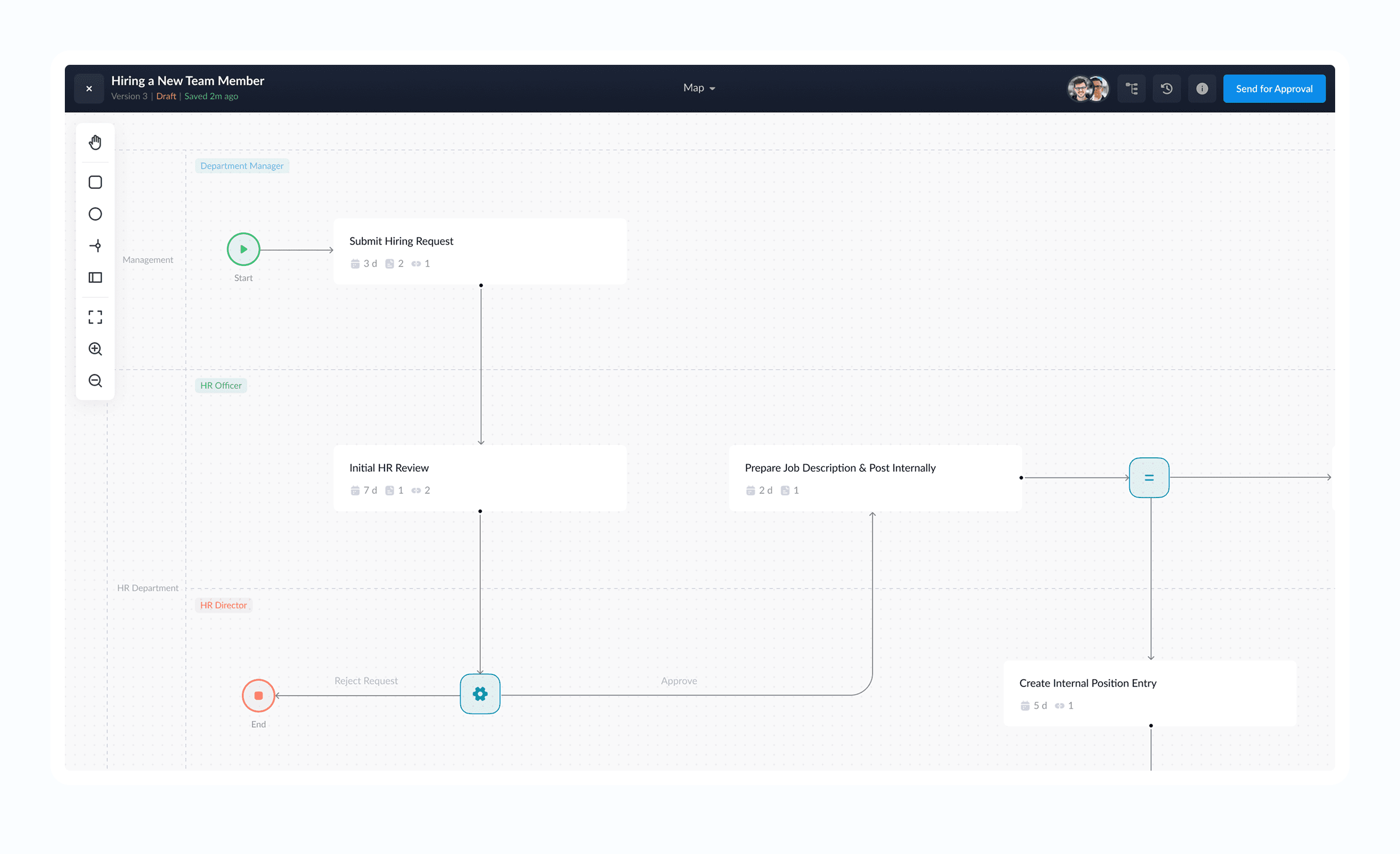
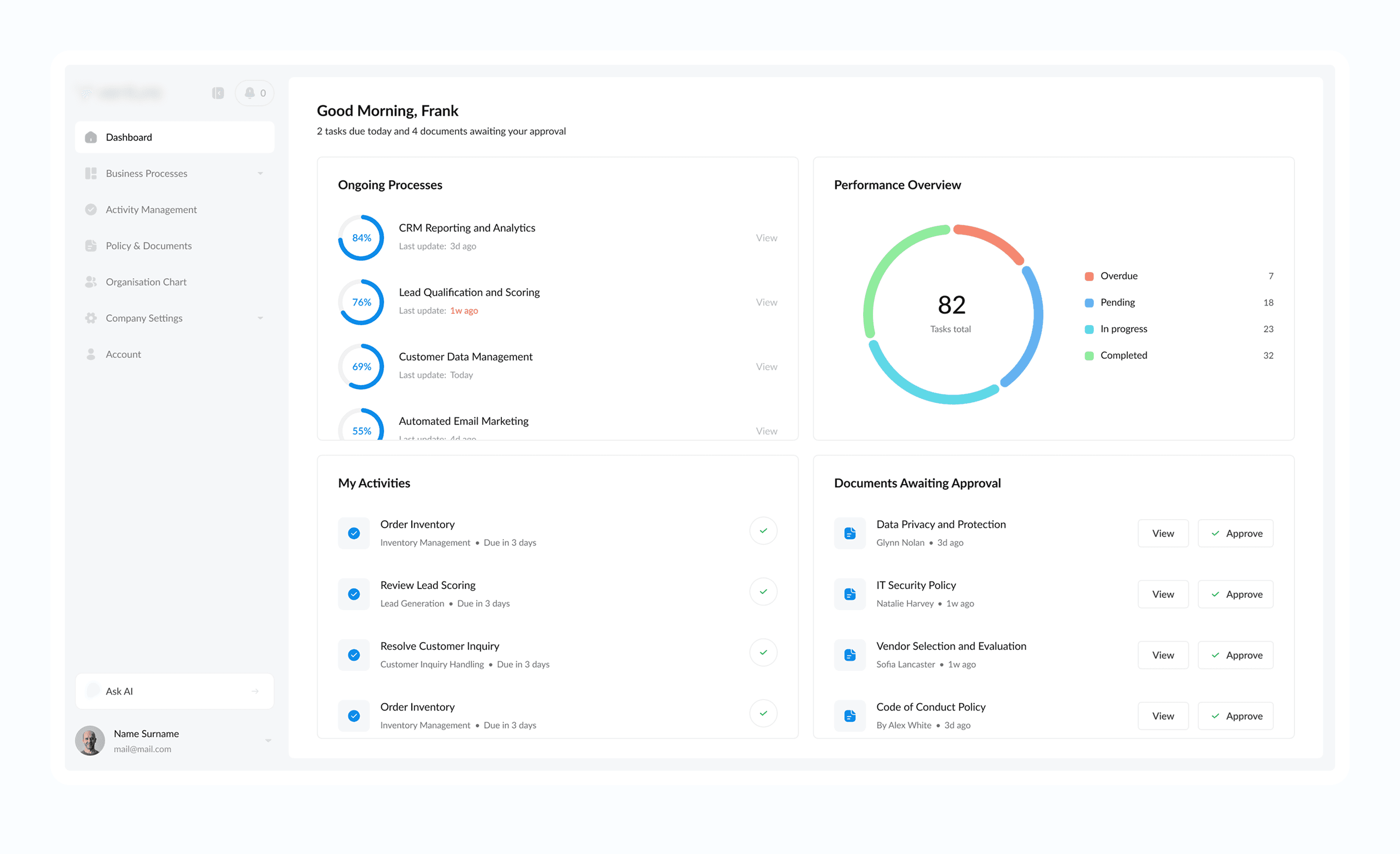
This project involved designing an enterprise platform that helps large organisations understand how work is structured, document how it should be performed, and coordinate its execution across departments. It brings business processes, employee activities, policies, organisational roles, governance structures and operational data into one connected environment - turning process diagrams from static documentation into interactive systems that generate work, assign responsibility, surface relevant information and track progress.
The goal was to modernise a category traditionally dominated by complex, visually outdated and highly technical business-process tools - powerful enough for process experts, understandable for everyone else.
The challenge
Coherence, not just screens
The client's initial material described hundreds of potential capabilities: process modelling, automation, policy management, reporting, organisational charts, compliance, AI assistance and integrations. The main design challenge was never simply creating screens for these - it was defining how they should work together as one coherent product.
That meant resolving structural questions before any interface design could begin: how a process template relates to a process being run, when a step becomes a task, how responsibilities and documents connect to each step, how much automation the MVP should support, and how BPMN-style logic could stay powerful without exposing users to specialist terminology.
My role
Senior UX/UI Designer
I worked from stakeholder ideas, workshop discussions and existing process-modelling practice, converting ambiguous requirements into implementable product rules before visual design could progress. A significant part of the role was defining the relationships between processes, tasks, roles, documents and permissions first, then building the interface around them.
Dashboard
Key UX decisions
Five decisions the rest of the product was built on
01
Separating templates from executions
Distinguishing a process's definition from each time it's run kept the system easy to understand, and stopped active work from mixing with reusable process documentation.
02
Connecting steps and tasks
A process step defines how work should be performed; a task is that step after launch, carrying the live assignee, due date, attachments, comments and status.
03
Making process logic approachable
Rather than removing established modelling capabilities, the interface translates them into plain language and visual controls, so non-specialists can build conditional and parallel flows without learning a full modelling notation.
04
Automating without replacing every tool
The MVP creates tasks, routes work through conditional paths and sends reminders - but a person can always confirm completion or override a blocked handoff, so one missed update can't stall a whole process.
05
Designing for two scales at once
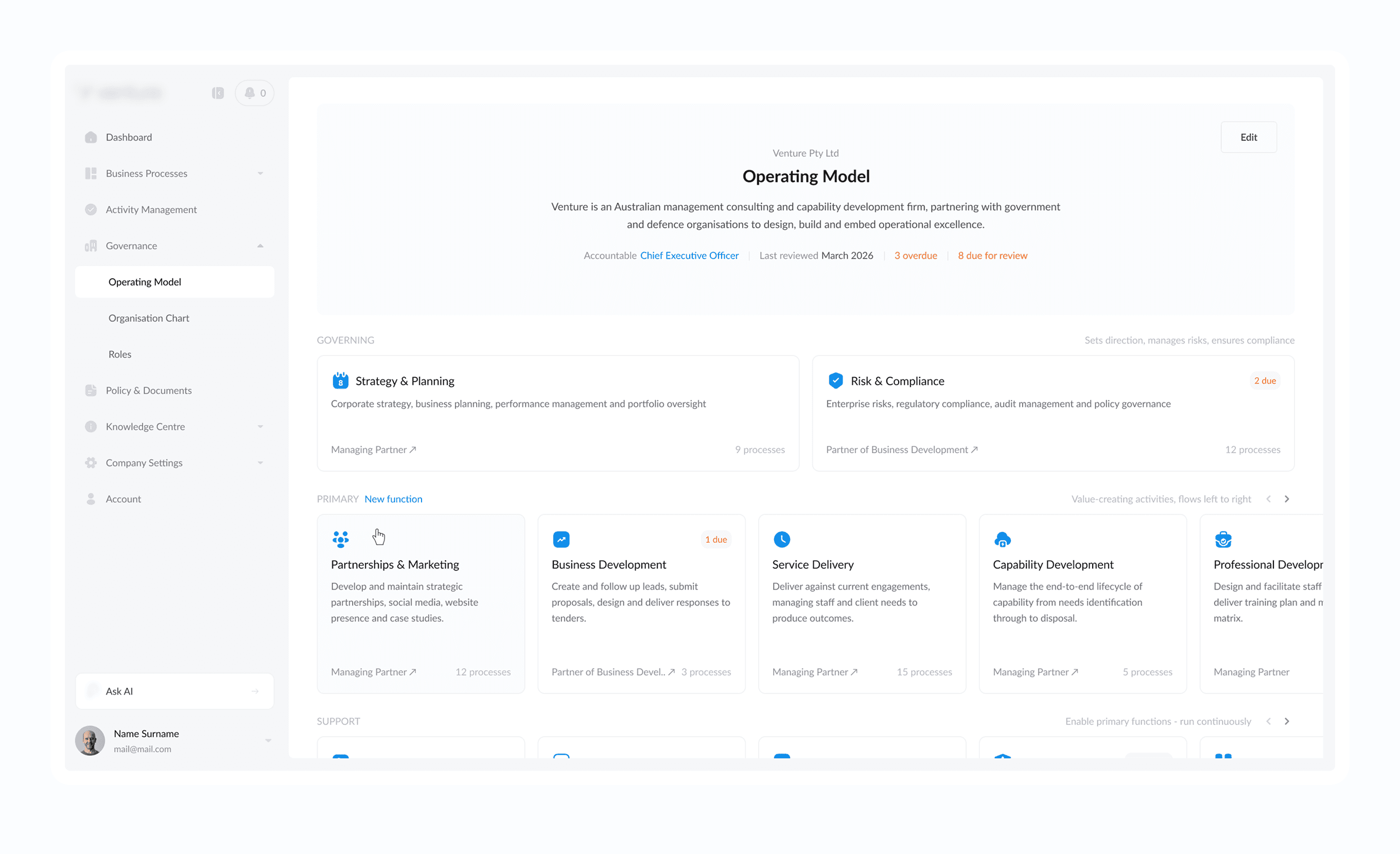
Leadership can view an entire operating model and how processes connect end-to-end; an individual sees one task with a clear description and the action required next - without forcing either audience through the other's view.
Operating model
Knowledge centre
Outcome
A coherent structure for a broad, ambiguous vision
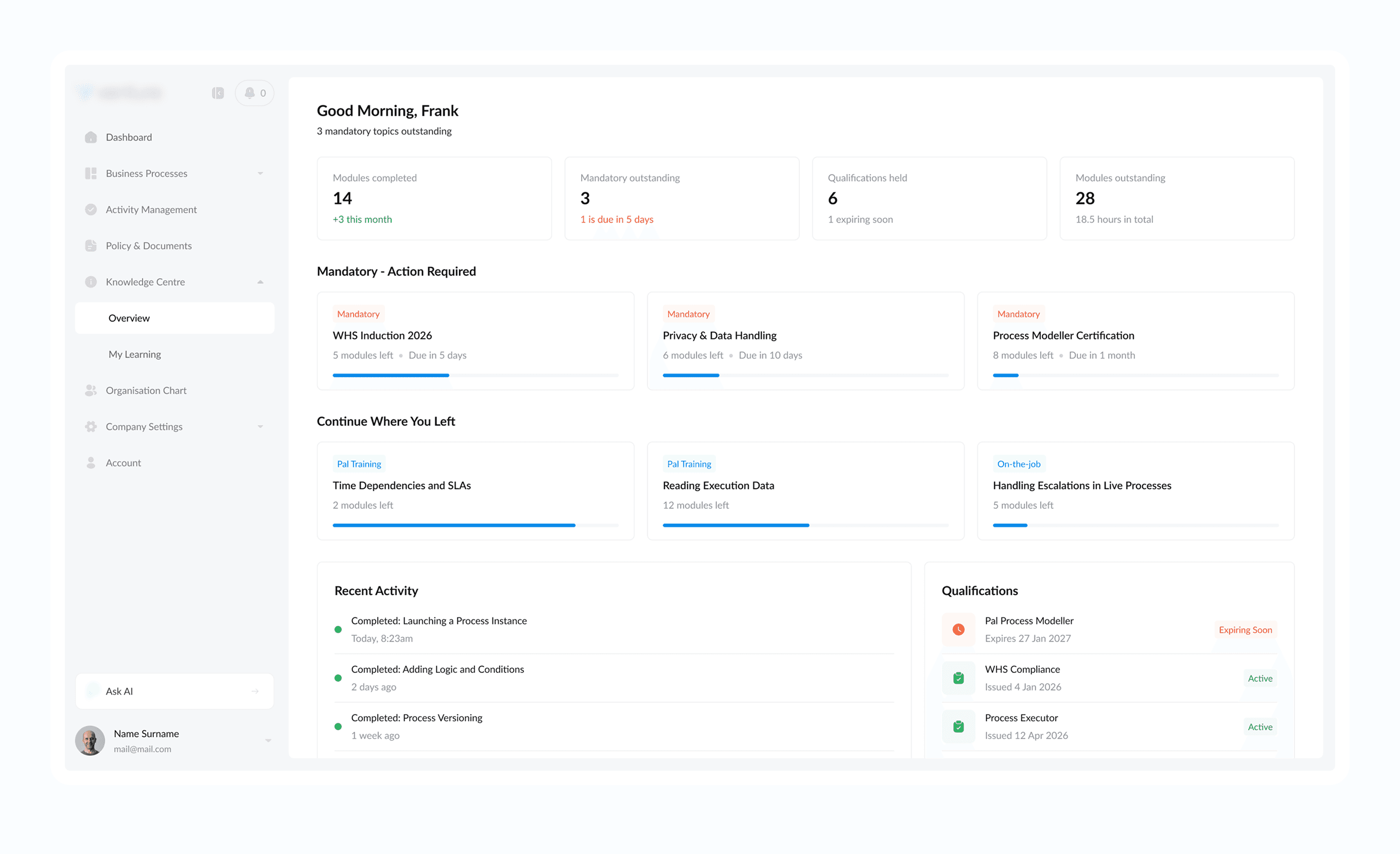
The result was a coherent product structure for a system that began as a broad collection of ideas: a scalable information architecture, a clear separation between process templates and process runs, a simplified visual language for BPMN-style logic, role-based experiences for administrators and employees, a connected governance model, and a dependency-aware permission system.
The project remained in active design and development throughout my involvement, so this case study focuses on product definition, UX architecture and interface design rather than post-launch performance metrics.
Reflection
The biggest lesson from this project was that enterprise UX complexity rarely comes from the number of screens - it comes from the relationships between objects, permissions and states. A task can belong to a process run created from a template, assigned to a role within a department, governed by a policy and referenced in a report; designing each of those sections independently would have produced an inconsistent system.
The strongest decisions came from defining those relationships first, then building the interface around them.
Contact
Open to Senior Product Designer roles.
If you're hiring for a senior product design role, or want to talk through how I work, I'd like to hear from you.
hello@romanshimin.com- LinkedIn profile
- Location
- Montenegro (Remote)
- Availability
- Open to Senior Product Designer roles, remote or relocation.